All information comes from the Zetland Hall calendar "https://www.zetlandhall.com/calendar". The subscribed calendar will be updated based on the original source.
Once you have saved your filtered list you can bookmark the Zetland Hall Events Filter page into your browser bookmark folder. This link will store all your settings, and you can come back to change it.
You can copy and share the link with anyone that uses the same setting. You can copy the "Bookmark" link by clicking/tapping the copy button.
You can always start with a clean slate on the Zetland Hall Events Filter page. And remember to bookmark the Zetland Hall Events Filter page after you have saved your settings, in order to be able to return to it.
- Copy the "Subscribe" link from Zetland Hall Events Filter page by tapping on the copy button.
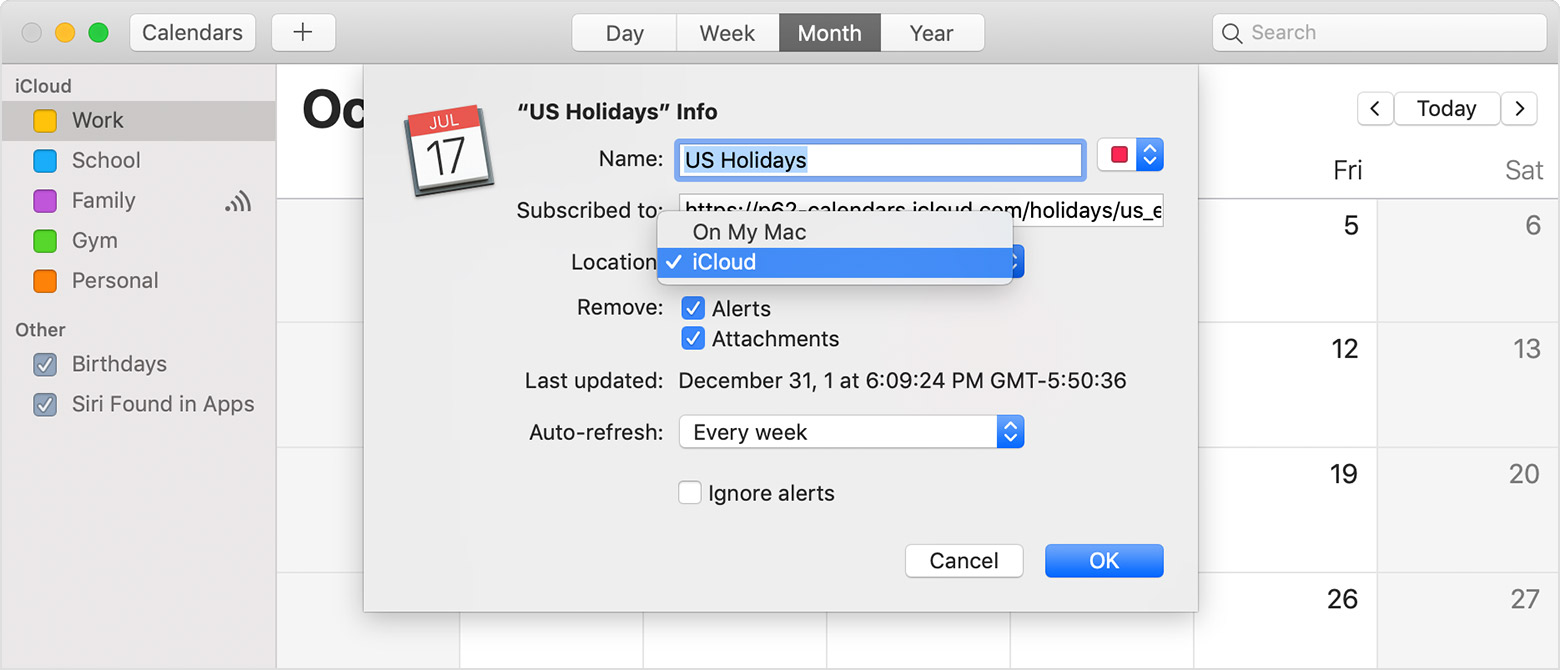
- Open your Apple Calendar iOS app.
- Tap "Calenders" at the bottom centre
- Tap "Add Calender" at the bottom left. A menu should appear.
- Tap "Add Subscription Calender" on the menu.
- Tap on the "Subscription URL" text box and paste the copied link.
- Tap Subscribe
- Copy the "Subscribe" link from Zetland Hall Events Filter page by clicking on the copy button.
- Open your Outlook App (Desktop).
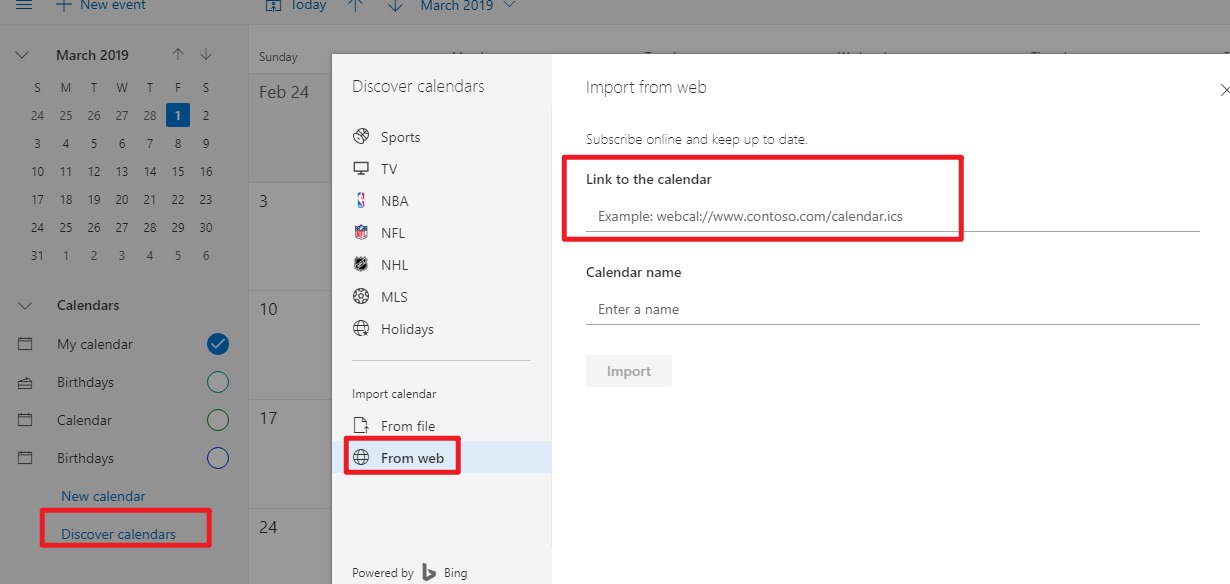
- Click "Add Calender" in the left hand menu.
- Click "Subscribe from web" in left hand menu of the pop up window.
- Paste the link in the input box.
- Set a Name for the Calender, and customize colours/icons as you need.
- Choose from the selection menu your existing calendar you want to add to.
- Click Import
- Copy the "Subscribe" link from Zetland Hall Events Filter page by clicking on the copy button.
- Open Google Calendar (Desktop).
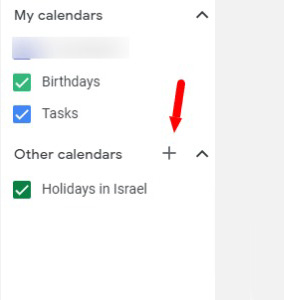
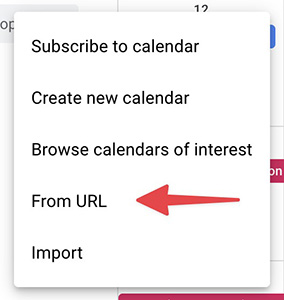
- On the left, next to "Other calendars," click '+" > From URL.
- Paste the link into the input box.
- Click Add calendar.
- The calendar displays on the left, under "Other calendars."